
Updated: December 23, 2025
Table of contents
Permissions and accessibility
Staff access:
-
Admin: Full access
-
Manager: Full access
-
Staff: No access
MyStudio plan restrictions:
-
None
How to transfer a participant to a new program/membership
Important:
- At this time, you can only transfer a participant to a different membership.
- If the wrong participant is attached to a program registration, you will have to cancel the registration and redo it with the correct participant information. Program registrations cannot be transferred to a different participant.
-
Login to MyStudio V1.
-
Go to "All Customers".
-
Select "Program Participants".
-
Click the participant’s name to open their program registration.
-
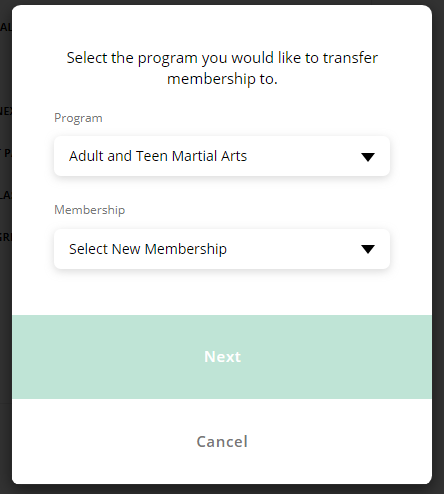
Click the pencil icon next to the program or membership option.
-
Select the new program or membership option.
-
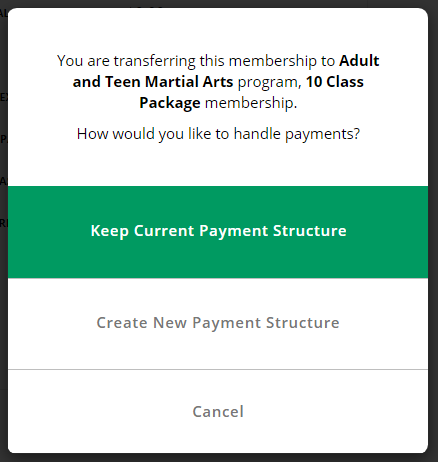
Choose one of the following payment options:
-
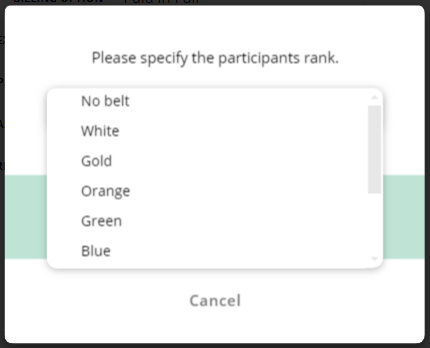
Select the participant’s rank.
-
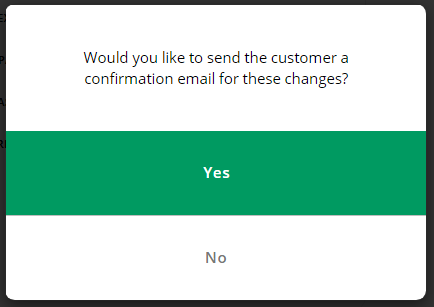
Choose whether to send a confirmation email.
-
Complete the transfer.
Payment Structure Options
Keep Current Payment Structure
-
Only the program or membership name changes.
-
No changes to payments, attendance, or progress.
Create New Payment Structure
-
Applies the pricing and payment structure of the new program.
-
Redirects you to the point of sale (POS) to complete registration.
-
Results in the following:
-
Cancels the previous membership.
-
Clears past-due balances from the previous membership.
-
Past-due balances do not transfer.
-
Resets attendance and skill progress.
-
Resets attendance limits.
-
Analytics impact of membership transfers
Transferring a membership affects V1 Analytics in the following ways:
-
The total number of students does not change.
-
The active student count per membership updates based on the membership the participant is transferred to.
-
The transfer does not count as a new membership.
-
There is no change to cancelled/completed membership counts.
Transfer an event registration to another participant
Important:
- Event registrations can only be transferred between participants under the same buyer profile.
- If a participant needs to be moved to a different event or event date, you must cancel the registration and re-register for the correct event.
Use this method when a family has multiple participants and an event registration was assigned incorrectly.
-
Go to "All Customers."
-
Select "Event Participants."
-
Check the box next to the registration.
-
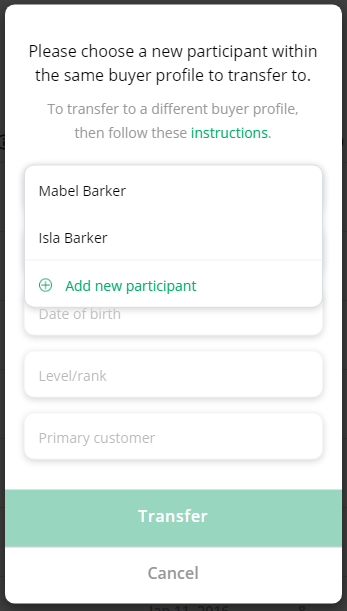
Click "Transfer" above the table.
-
Choose one of the following:
-
An existing participant (fields auto-fill)
-
Create a new participant (enter first name, last name, and date of birth)
-
-
Click "Continue".
-
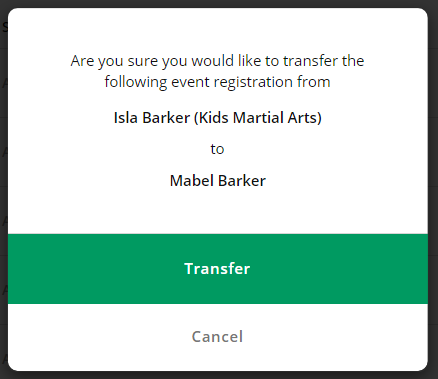
Confirm the transfer.
Transfer event registrations using rank updater
-
Go to "All Customers."
-
Select "Event Participants."
-
Filter the list to the specific event.
-
Check the box next to the registration.
-
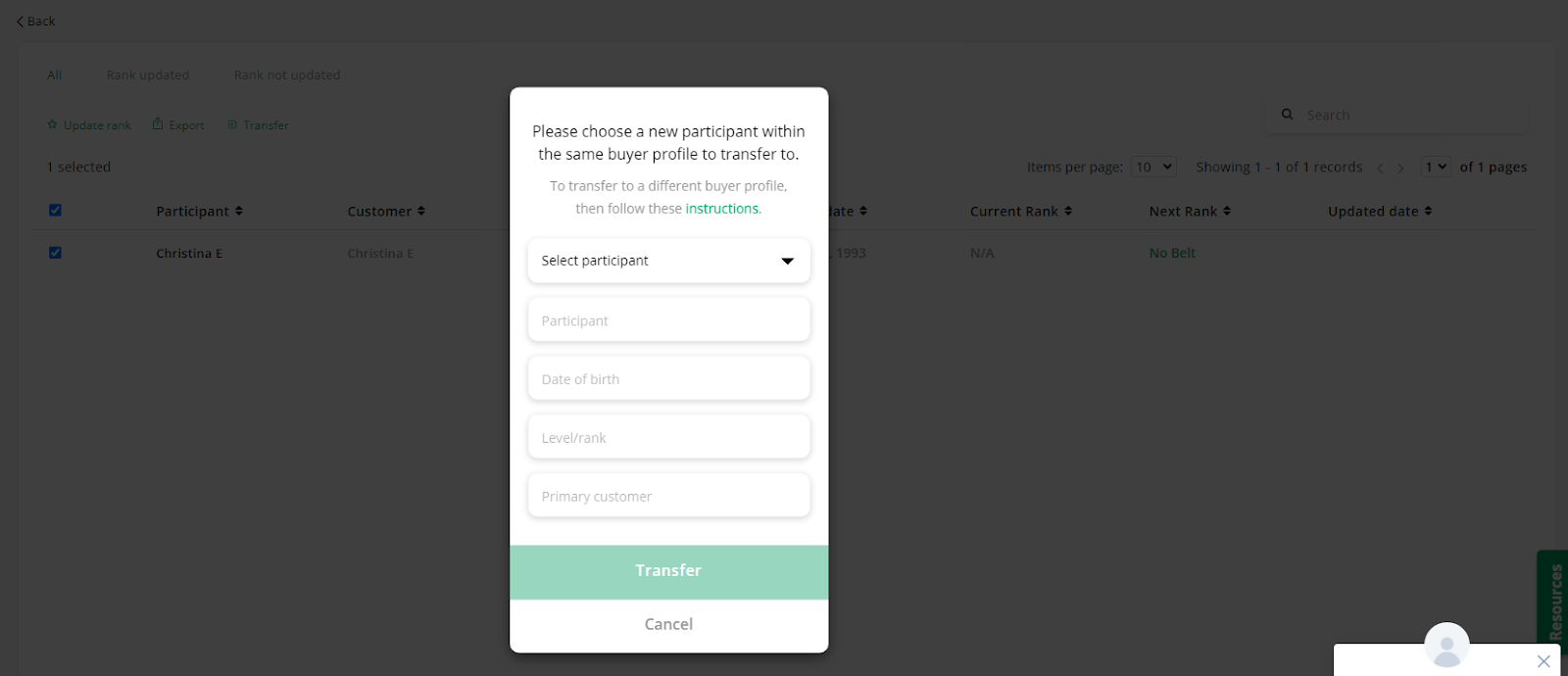
Click "Rank Updater" above the table.
-
Check the box next to the participant.
-
Click "Transfer" and complete the process.

Frequently asked questions (FAQs)
What if I need to transfer a program registration to a different participant?
Unfortunately our system is not capable of this type of transfer at this time. It can only transfer a participant to a different program. You will need to cancel the registration and redo it with the correct participant information.
What if I need to transfer a participant to a different event date?
Unfortunately our system is not capable of this type of transfer at this time. It can only transfer an event registration to a different participant. You will need to cancel the registration and redo it with the correct event date.