
Updated: April 21, 2026
Table of contents
How to get to the home page
The home page is the default screen when you log in to V2. If you've navigated away, click Home at the top of the left-hand menu to return.
What's on the home page
When you log into your MyStudio V2 account, the home page gives you a quick overview of your business and the tool you use most often. Here is what is visible:
-
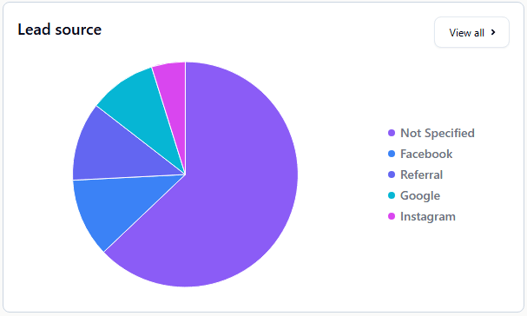
Lead source: Shows where your new leads are coming from (for example: website, walk-ins, referrals). Helps you know which sources are working best.
-
Trial source: Shows where trial students are coming from. This helps you track how people are finding and starting classes.
.png?width=527&height=314&name=image%20(1).png)
-
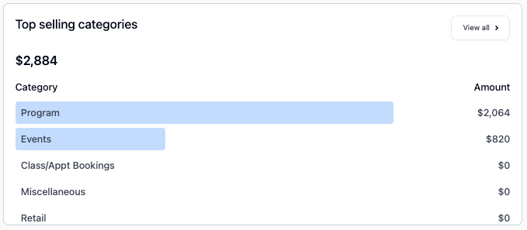
Top selling categories: See which product categories are selling the most, either by month or by year.
-
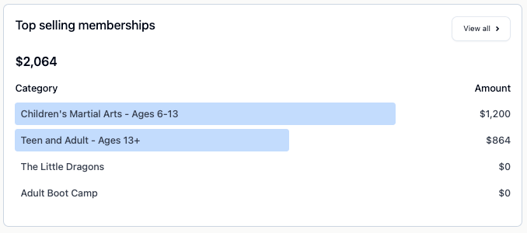
Top selling memberships: Shows which memberships are the most popular with your participants.
-
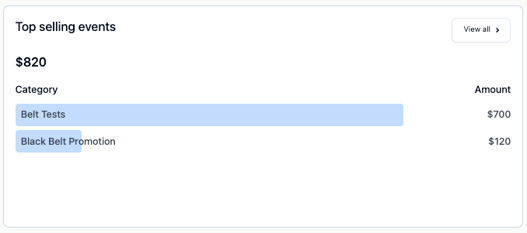
Top selling events: Shows which trial offers are selling best.
-
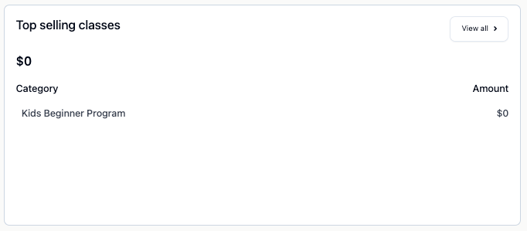
Top selling classes: Displays your most popular classes so you can see what participants are choosing most and which make the most profit.
-
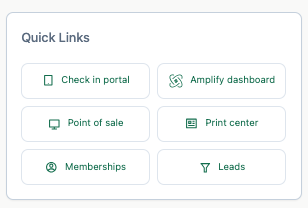
Quick links: Shortcuts to the tools you use the most:
-
Check in portal
-
Amplify dashboard
-
Point of sale
-
Print center
-
Memberships
-
Leads
-
-
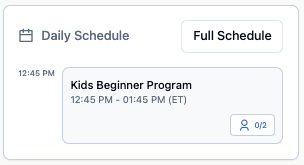
Daily schedule: A simple view of the classes happening that say so you always know what’s coming up.
Frequently asked questions (FAQs)
Can I change what I see on the home page?
At the moment, the view is not customizable. Coming soon you will be able to edit or modify the dashboard for a full-customizable experience.
Why don’t I see any data on my home page?
If your graphs or lists are empty, it usually means there hasn’t been activity yet. Once you start using the system, the data will appear.
Still need help? Contact your MyStudio account manager or reach out to our support team.